SimRig Console
SimRig Console (beta)
This is a beta. It is for a small group of testers. On a first run it will almost certainly say NOT READY. That is normal.
A Windows app that reads your PC, shows what it found, and offers changes that it can put back, with one exception. It is the successor of the bat files in iracing-stutter-fix. The bat files still work and stay there. New work goes into SimRig Console.
Who it is for
Windows 11 PCs that run iRacing. Setup does not check the Windows version. It has never run on Windows 10. It needs PowerShell 7.5 or newer and the .NET 9 Desktop Runtime. Setup installs them with winget if they are missing.
What it does
- Preflight. Reads your Windows PC and shows what it found.
- Quiet. Pauses a list of Windows services and tasks for a race. Restore puts them back.
- Race watch. During a session it reads the Windows event logs every 15 seconds and takes no action. Quiet turns on the Task Scheduler event log so that it can.
- Apply tuning / Undo tuning. A few settings (MPO, HAGS, in one case the power plan), only on a supported PC. Undo tuning puts back each value that Apply tuning wrote.
It shows each item it changed, and puts it back. It does not promise a better frame rate.
What it never does
- It does not set CPU affinity or CPU-Sets on iRacing’s processes. That risks your iRacing account, whether it works or not. The only affinity the app can write is GPU interrupt affinity, on the graphics device, not on a process - and this beta does not offer that on your PC.
- It does not overclock or undervolt, and it does not change voltage, power limits or fan curves.
- It does not change process priority.
- It does not touch the game, its files or its memory. Nothing it does is hidden from iRacing’s anti-cheat, and nothing it does needs to be.
Safety
The point of the app is a way to undo any change. It saves each item before it changes it, and puts it back after.
One exception: Quiet turns on the Windows Task Scheduler event log and leaves it on.
If the app does not start and Windows is still quiet, run RESTORE-NOW.cmd. It puts the session values back without the app.
Read the source before you run it. It is PowerShell and .cmd files, and you should know what will run on your PC.
SimRig Console is co-developed with Claude (Anthropic’s AI). Claude was also the analysis tool that identified the fixes in the original stutter guide.
What to expect
On a first run the app will almost certainly say NOT READY. That is the normal result. The check compares your PC with a known good state for a race, and a PC that nobody has set up for racing does not match it.
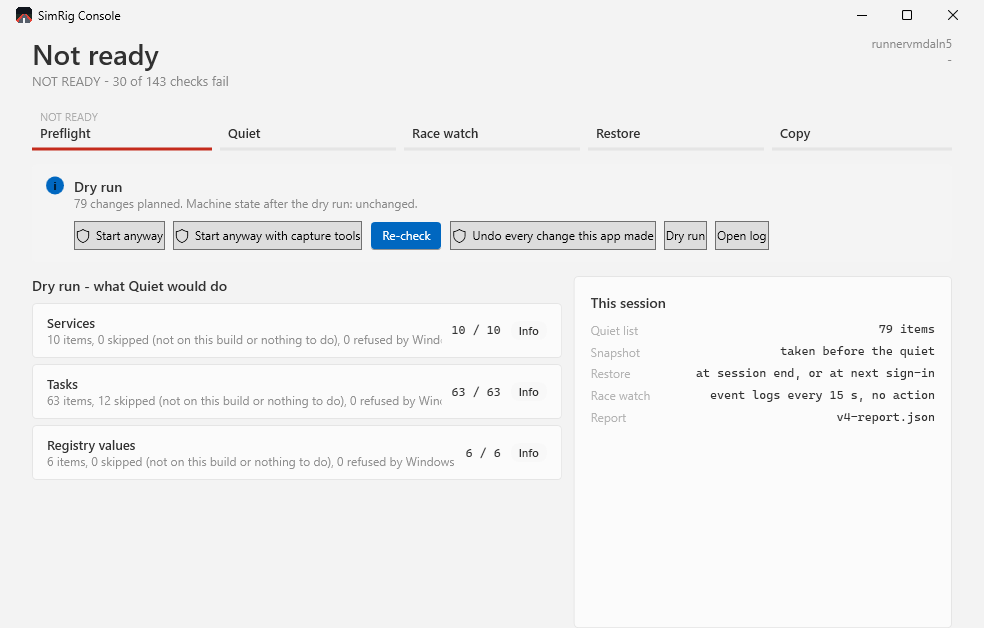
A dry run. The app lists the changes that Quiet would make, and reports that the PC is unchanged.
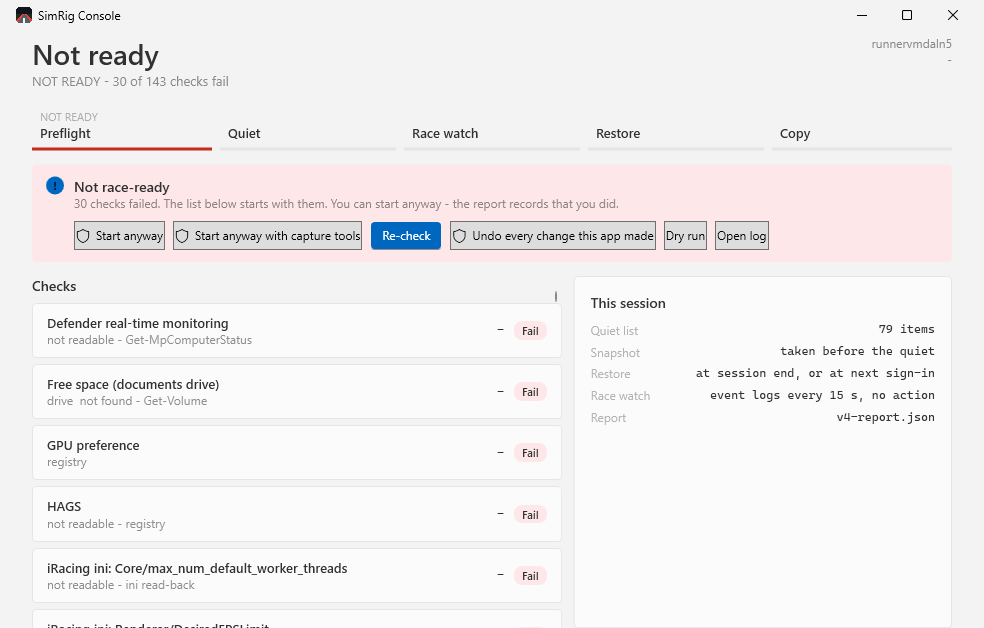
NOT READY. The list starts with the checks that failed.
These pictures come from a test run of the app on a Windows virtual machine, not from a racing PC. On your PC the numbers and the rows will differ.
Install
Download and install steps are on the release page. Check the SHA256 first.
Known issues
The known issues are on the release page. Read them before you start.
Send your logs
Logs and feedback: simrig@rickshank.com.
Zip the folder C:\SimRacer\Logs\v4 and send it. The logs can have your computer name in them.
Source
Repo and source. MIT licence.